
This is another gadget post to share my view of the HTC phone,
a not so very popular brand with Pinoys.
 |
| HTC |
This phone was an accidental phone; I never had any plans of
buying a new phone as I was happy (in simple terms) with my office-supplied
mobile phone. It’s a basic Android phone but it serves well…until it dimmed its
light one me one day. Something about the strip that snapped which is a common problem
with slide phones.
Upon knowing that repair takes days, I decided to buy a new
one. Who can survive a day without their mobile phones nowadays? It’s like a security
blanket for most of us.
Honestly, hubby and I went to the mall without any inkling
what to buy. I didn’t even bother
checking online for reviews of phones in the market now as I was still
depressed over a defective phone.
Anyway, after going around the stores in SM North Edsa, I
finally settled for an HTC phone and bought the HTC One V, an Android phone. Hubby
really sales talked me into getting one as he is a happy HTC user. I teased him, 'binayaran ka ba para mag-promote? Grabe sales talk mo ah? :)
My only
question to the sales guy, does it have office programs Word, Excel and
Powerpoint? He said it’s not built-in but he can install it for me. That’s all
I needed to hear and I bought the phone. Yeah, my life revolves around reports
and notes and lists so these programs are very very important to me.
Oh and here are other things I likey about HTC One V:
- It runs on Ice Cream Sandwhich OS or 4.0 and costs a lot more affordable than its Android counterparts. Got this unit for less than P15k.
- Camera is the next selling point; they had me at depth-of-field feature, simulataneous still and video recording in HD (720p).
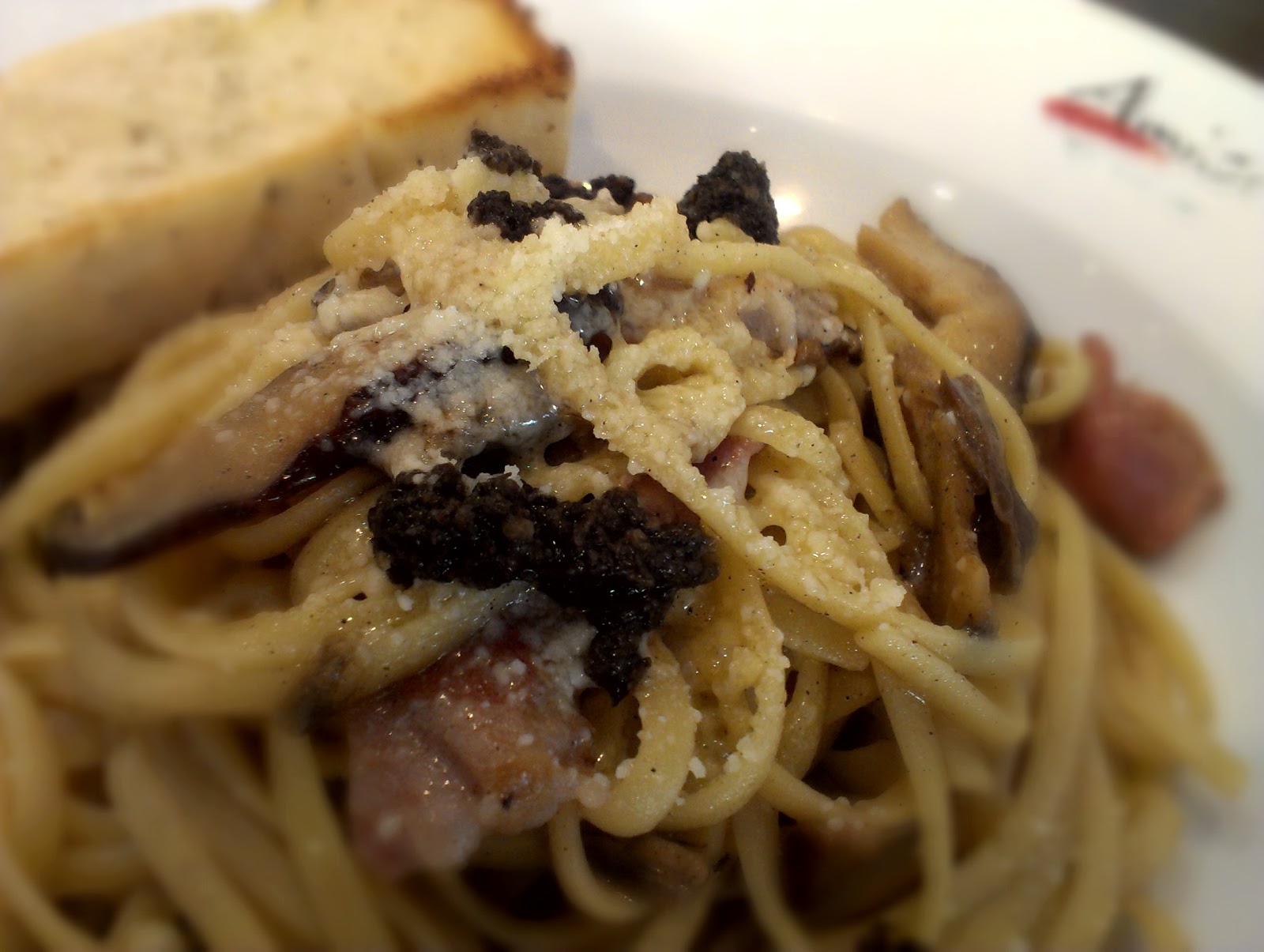 |
| my fave Tartufo and prosciutto pasta at Amici |
 |
| little boy's beautiful smile, see the (slightly) blurred background. You can adjust which part of the composition you want to blur |
 |
| kid's baon |
 |
| the trick or treat mermaid, low light capture |
4. Apps
galore! – usapang apps na naman, my
current faves are
- Calorie Counter - really helpful to monitor how much I eat to help me keep the extra pounds off.
- Runkeeper - it has a voice coach feature which helps me get more of a 1 hour run. Although the first time I used it on the field, my phone shut down but when I restarted my phone, it went okay. Never had that problem ever since.
- MMDA app – helps us know traffic situation in Metro Manila especially EDSA.
- Games – right now we’re addicted to 3D bowling, Smurfs, Angry Birds, etc. Sophie is particularly fond of Text Twist. Games are really helpful to keep the kids stay still in restos or at home, we just make sure they play age-appropriate games.
- HTC Car – this feature is new to HTC. The interface helps me view maps, contacts and music while driving. Cool right?
- Beats Audio – audio right now is good and even better than hubby’s older HTC version but will be much appreciated with Beats headphones which I don’t have yet. Until then, I can’t really say much about this feature.
It also helped that we recently got a Sun broadband package with unlimited internet conection for a month (where we got the free Alcatel tab) so we get to enjoy the apps and other features that requires internet connection even on the go.
Let's just say, like hubby, I'm a happy user :)


